Capture
Grab exactly what you need with a shortcut, the tray or the all-in-one bar. The desktop freezes while you select, so menus and tooltips stay put.
- Choose your own shortcuts, including Print Screen
- Capture again while previews, pins or the editor are open
- Snipsera hides its own windows before every capture
- Press Esc or right-click to cancel
Scrolling capture
Capture articles, chats and documents that run past the bottom of your screen. Select the part that scrolls, start, and Snipsera stitches one tall image as you go.
- A live preview shows the image as it grows
- Scroll yourself, or let Auto-scroll do it
- Keeps everything captured so far if a view can't be lined up
- Images up to 20,000 pixels tall
Previews and pins
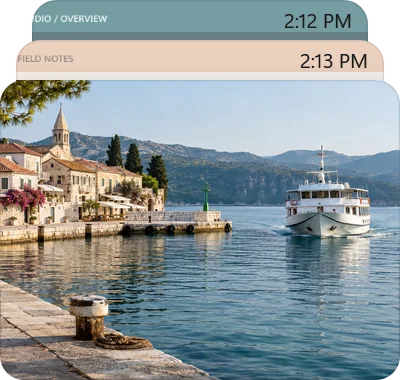
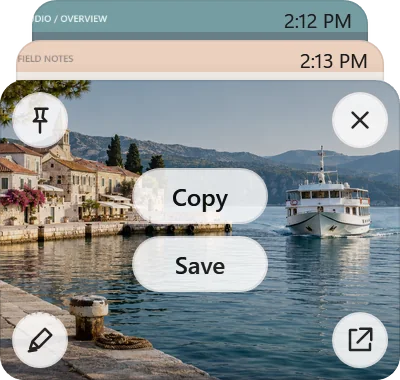
Every capture lands in a small floating preview. Copy, save, annotate or drag it straight into another app, right from the image.
- Recent captures stack up, three layers deep
- Pin up to eight captures above your other windows, with adjustable opacity
- Previews close themselves after you copy, save or drag them
- Hide every floating capture for a moment, then bring them back
- Full keyboard control: Ctrl+C, Ctrl+S, Tab and Esc
Annotate
Point things out, add notes and hide what shouldn't be shared. Every mark stays editable, so you can move it, restyle it or change its words later.
- Undo every change
- Crop and resize the image
- Save editable .snipsera projects
- Export PNG or JPEG, copy, drag or pin
Background tool
Turn a plain capture into something ready for a post, a doc or a slide. Changes show live while you drag.
- 15 gradients, solid colors or transparent
- Padding, rounded corners and soft shadow
- Square, landscape and portrait aspect ratios, with alignment
- Auto-balance trims uneven margins and centers the content
- Combine up to 32 images: drop, paste or add from History
Screen recording
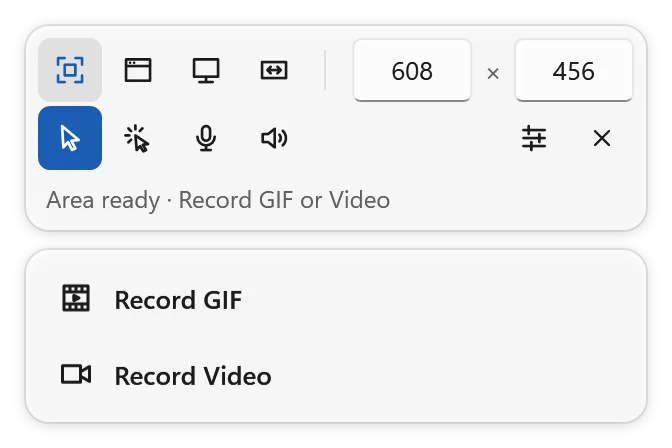
Record an area, a window or a display as a video or a GIF. Pause when you need to; the result joins your previews ready to play, copy, save or drag.
History and files
Nothing gets lost. Snipsera keeps a history of recent captures and saves copies where you choose.
Made for Windows 11
Snipsera looks and behaves like part of Windows, and stays out of your way until you need it.